Welcome to your first lesson!
For each lesson in the course we’re going to assume that you’re logged into your WordPress dashboard with Editor access or above.
In this section we will be looking at:
1. Logging in
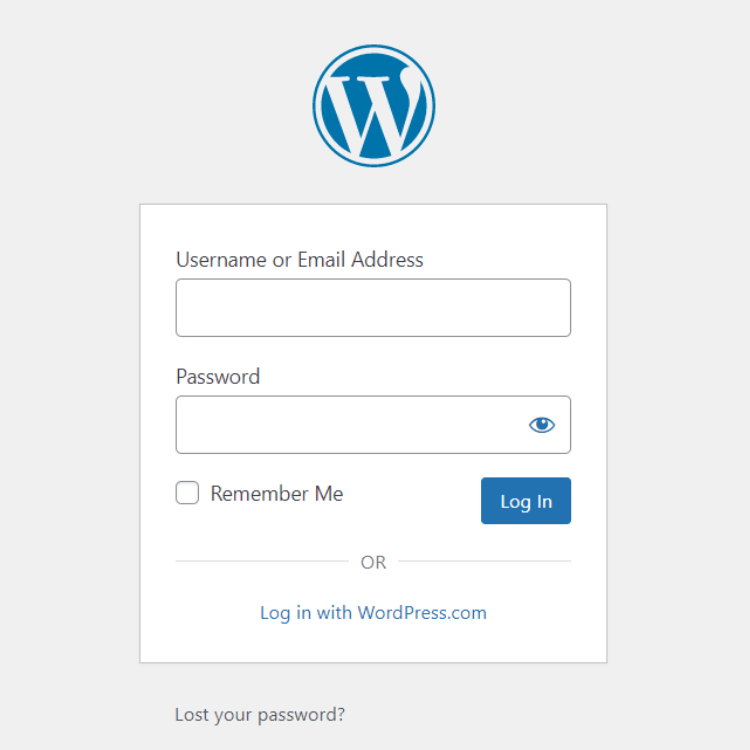
You should be able to login to your website by adding /login/ to the end of your domain. In the address bar in your browser it will look something like this:
https://www.yourdomain.com/wp-admin/
This will take you to a login form which should look something like the image here.
If you don’t see this form, or something that asks for a username and password, then contact your site administrator for login assistance.
2. Trouble logging in
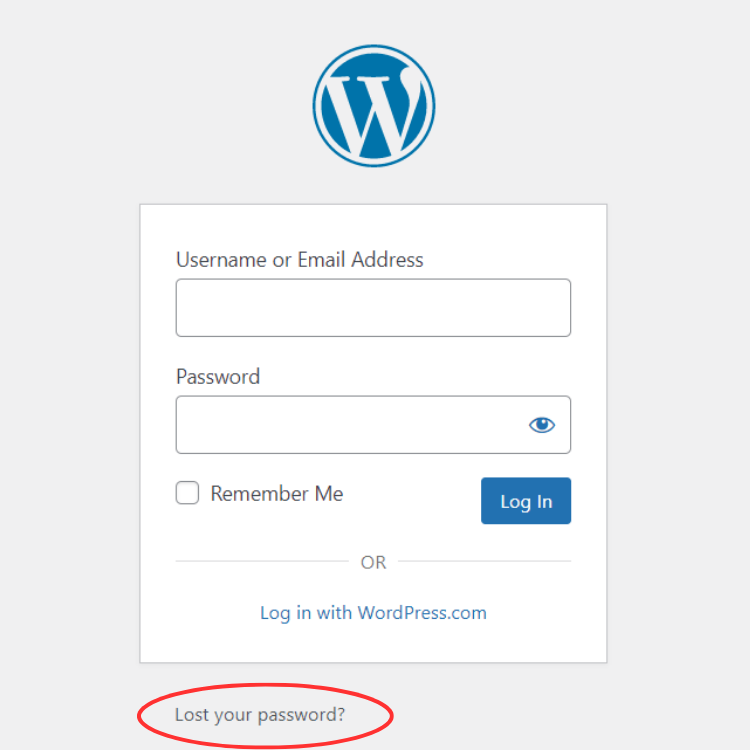
We’ve all been there! You haven’t logged in for a while and you’ve forgotten your password.
Don’t worry, you can reset your password by clicking on the “Lost your password” link which will send you an email with a link to reset your password.
You will need the email or username for your account on the website to request a new password.
If you don’t receive a reset email, first check your spam folder, then give your website admin a holler to get some assistance.
3. Your WordPress admin dashboard screen
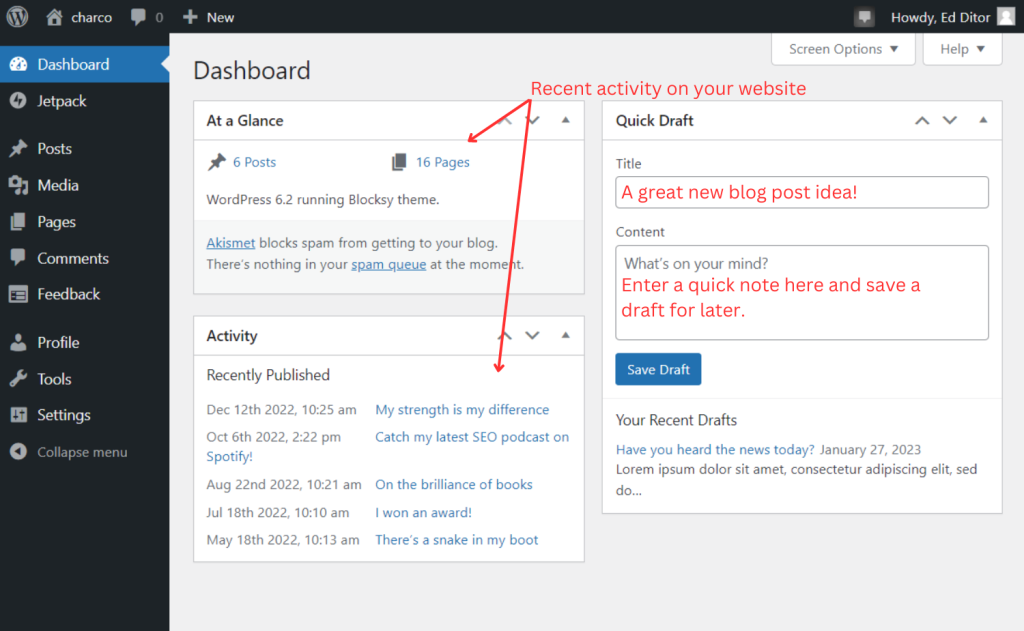
Your WordPress admin dashboard is usually the first screen you’ll see after logging into your website.
The main part of the screen has some basic information about what’s been happening on your website recently.
You can also add some quick news ideas in the “Quick Draft” section if your head is buzzing with ideas. This will create draft post pages in your Posts section for you to come back to later.
Don’t worry, only you will see these draft posts until you’re ready to publish them to the world.
4. The three important sections of your admin site
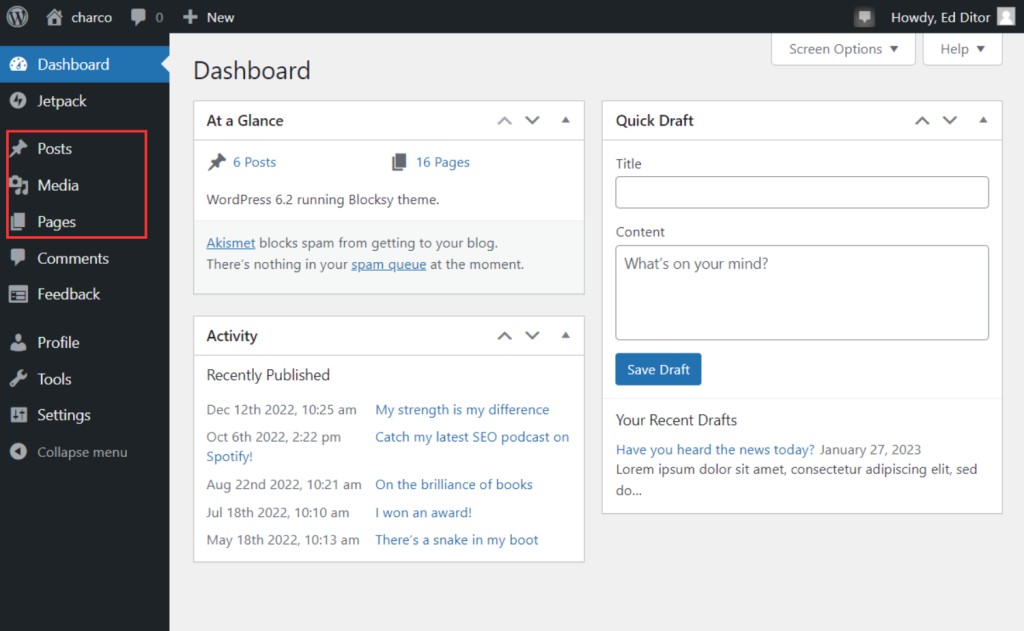
Once you’re logged in, you’ll see the main navigation of your admin site the left-hand side of the screen.
You’ll use this to access the different parts of your WordPress admin when you’re editing your website.
The three main areas that make up your website content are:
- Posts
- Media
- Pages
You might see a few more menu options on the left-hand side, but these are the most important ones and all you will need to be a WordPress Website Editor.
Lesson complete!
And that’s your WordPress dashboard in a nutshell. Now you can find your way around the admin area of your website it’s time for the next lesson.
Next up
In the next lesson on this course you will learn how to add a new article to your website.
Ready to learn? Let’s do this! Mark this lesson as complete using the checkbox below ⬇️, then move onto adding news to your website.